pablostanley/yoinks — a trending TypeScript project
yoink any video from your terminal. no shady ads.
pablostanley/yoinks — TypeScript · 2,571 stars · 243 forks · +356 today
yoink any video from your terminal. no shady ads.
yoinks
#
yoink any video. paste. yoink. done.
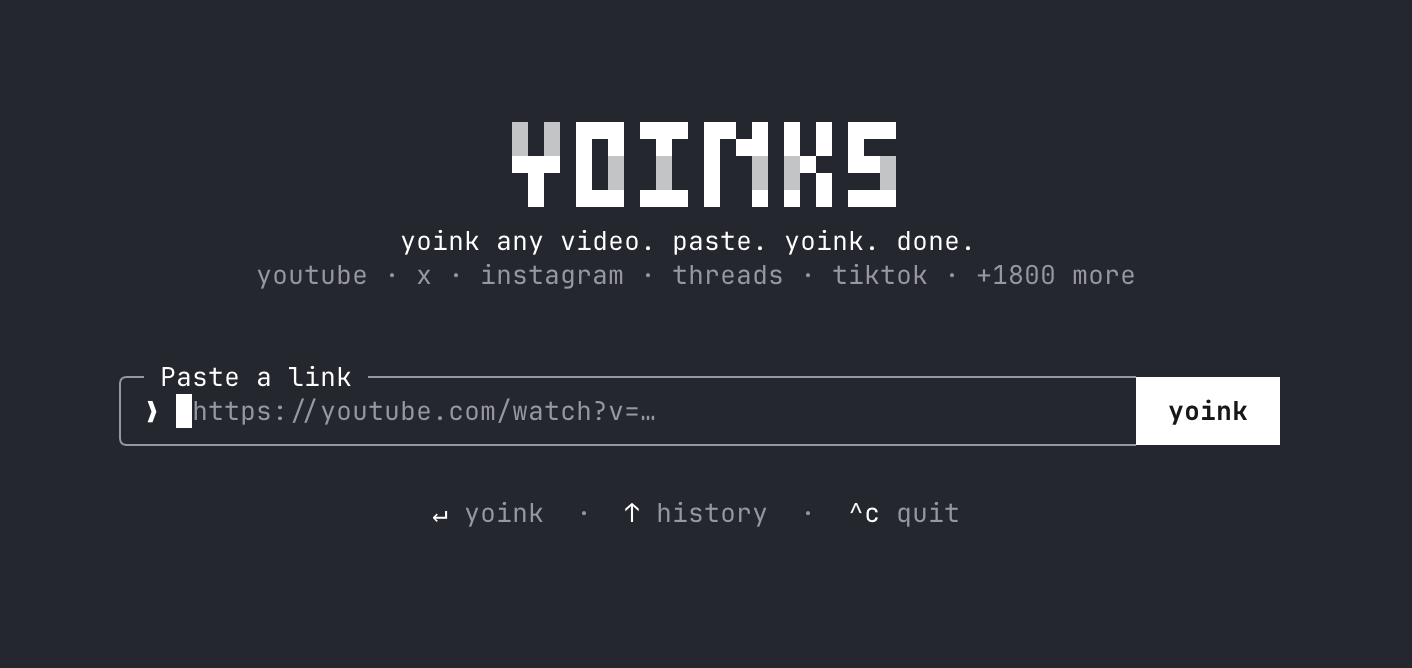
Download videos from YouTube, X/Twitter, Instagram, Threads, TikTok and 1,800+ other sites — right from your terminal. Paste a url, pick a resolution (or audio-only mp3), done. No popups, no fake download buttons, no sketchy redirects.
Install
#npm install -g yoinks
Or try it without installing anything:
npx yoinks
Requires Node 18+. Everything else (yt-dlp, ffmpeg) is fetched or bundled automatically.
Usage
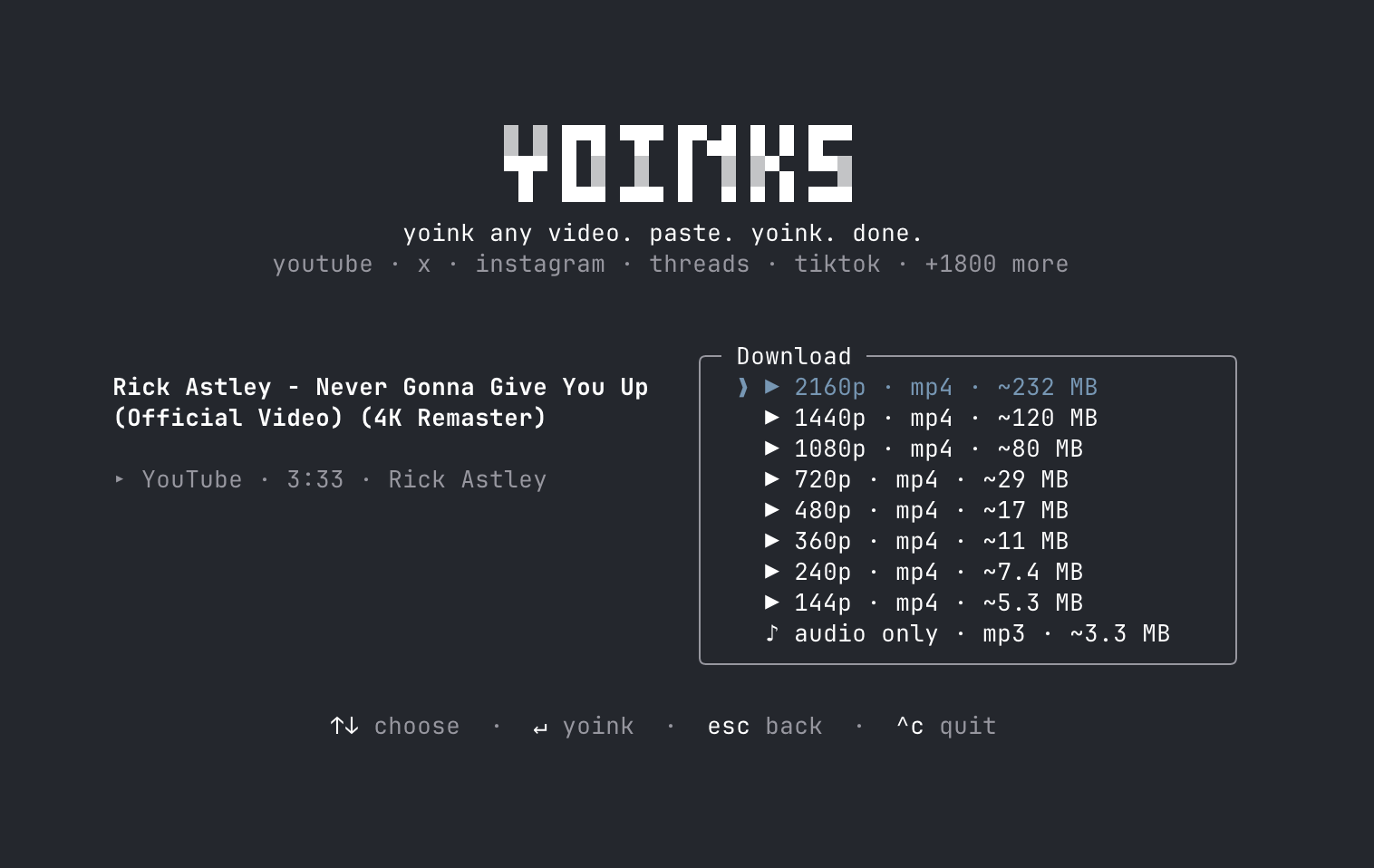
#$ yoinks https://youtu.be/dQw4w9WgXcQ # straight to the format picker
$ yoinks # prompts for a url
$ yoinks --theme light # force the light palette
yoinks takes over the terminal (full-screen, centered — and restores your
scrollback on exit). Pick a format with ↑/↓ (or j/k, or number keys) and
hit enter. esc goes back, ^c quits. Or just use the mouse — the yoink
button, the format list and the footer hints are all clickable, and
clicking the logo takes you back home. Files are saved to ~/Downloads,
and the file path is printed to your terminal when you're done.
The default auto theme uses your terminal's own foreground and background,
so it follows light and dark terminal themes without guessing. Press ^t or
click the theme control in the footer to cycle through auto, light, and
dark for the current session. Use --theme auto, --theme light, or
--theme dark to choose the starting theme for one launch.
How it works
#- Powered by yt-dlp. On first run,
yoinks downloads the standalone yt-dlp binary to
~/.yoinks/bin— no Python required. If you already have yt-dlp installed, it uses yours. - ffmpeg (needed for merging high-res streams and mp3 extraction) is found
on your PATH, with
ffmpeg-staticas a bundled fallback. - The UI is Ink — React for the terminal.
Development
#npm install
npm run build # bundle to dist/ with tsup
npm run dev # rebuild on change
node dist/cli.js <url>
npm run typecheck
To try it as a global command without publishing: npm link, then run
yoinks anywhere.
Roadmap
#-
--best/--mp3flags to skip the picker (scriptable mode) -
-o <dir>to choose the output folder - Playlist / thread-with-multiple-videos support
- Clipboard detection: launch bare and auto-suggest the url you copied
- Self-update for the bundled yt-dlp binary (
yt-dlp -U) - Publish to npm (
npm i -g yoinks/npx yoinks) -
curl yoinks.sh | shinstaller
A note on fair use
#yoinks is a personal-archiving tool. Downloading content may violate a platform's terms of service — only download what you have the right to keep, and be excellent to creators.
License
#Content above is the README of pablostanley/yoinks, reproduced from GitHub’s trending list. All rights remain with the original authors.
Newsletter
New posts in your inbox. Confirm by email, unsubscribe any time.
More in Web Development
View allTHU-MAIC/OpenMAIC — a trending TypeScript project
Open Multi-Agent Interactive Classroom — Get an immersive, multi-agent learning experience in just one click
via GitHub · 4 min
Orkas-AI/Orkas — a trending JavaScript project
Orkas is an open-source (MIT), local-first AI team for your desktop: a Commander turns your goal into to-dos and coordinates 16 built-in specialist agents plus Claude Code, Codex, OpenCode, OpenClaw and Hermes, with projects, scheduled automations and connectors. Free app for macOS & Windows; built-
via GitHub · 16 min
CopilotKit/OpenBot — a trending TypeScript project
Open-source AI coworkers that each get a computer of their own: a browser, files and tools, with every action decided before it happens and recorded after. Bring any AG-UI agent.
via GitHub · 4 min
milind-soni/OpenMausBot — a trending TypeScript project
Open-source Grok Bot alternative with a virtual machine that bots can use
via GitHub · 10 min

Comments
Posting as a guest